NOL Card Top-Up, Refund, Lost Card and Balance Transfer: Every Method
Top up a NOL card at a machine, in the nol Pay app, or at a ticket office, and only a registered or Personal card can get its unused credit back. The smallest top-up is AED 5 in the nol Pay app, AED 20 at a ticket machine, and AED 50 at a ticket office, and credit bought online can sit pending for up to 4 hours before it activates. A lost anonymous card takes its balance with it, while a lost registered or Blue card can be blocked and replaced. This guide covers every method in one place: how to top up, how to check the balance first, who can claim a refund, what to do when a card is lost, damaged or expired, and whether credit can move to another card. Fares and fees checked 18 Nov 2026, with the RTA refund page read live the same day.
The short answer: top up, refund, lost card and transfer
Top up from AED 5 in the nol Pay app, from AED 20 at a ticket machine, or from AED 50 at a ticket office, and only a registered or Personal Blue card can claim a refund of unused credit. Use the app for the smallest top-up and instant credit on an NFC phone, a machine when you are already at a station, and a ticket office when you need help or want to pay in cash. Keep at least AED 7.50 on the card, because a gate will not open below that figure.
- Top up: AED 5 in the nol Pay app, AED 20 at a machine, AED 50 at a ticket office.
- Refund: only a registered or Personal card can claim unused credit back, less a fee.
- Lost card: block it at once on 800 90 90 or in the nol Pay app, then apply for a replacement.
- Transfer: RTA moves a balance only to a Personal or registered card, through its refund route.
An anonymous Silver or Gold card works like cash: no name on it, no refund, and no recovery if it is lost. A registered card takes more time to set up and protects the money on it. Use the Metro Fare Calculator to work out how much credit your next trips will use before you top up.
Every way to top up a NOL card
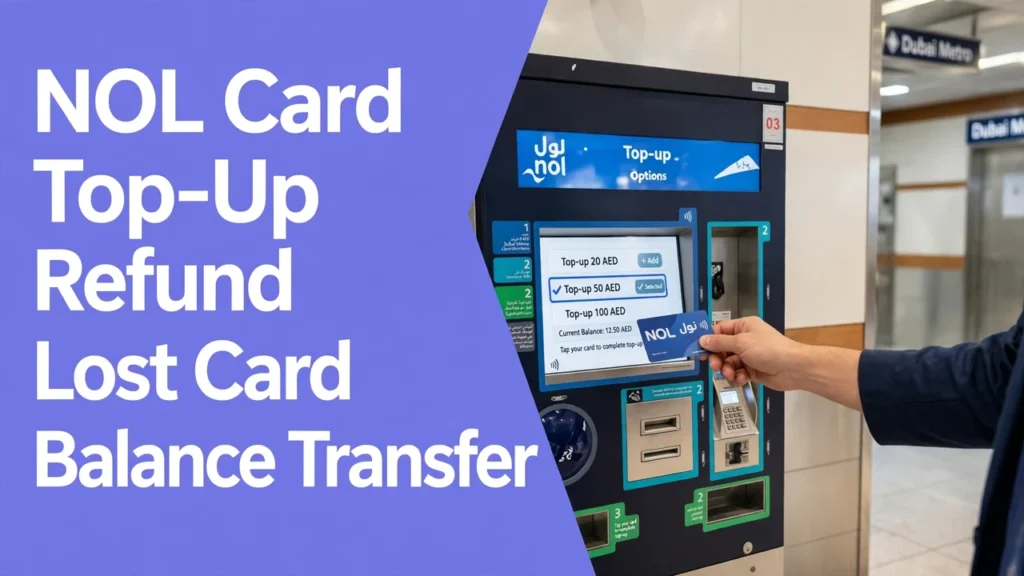
You can top up a NOL card at a Metro ticket machine, at a ticket office, in the nol Pay or S’hail app, on the RTA website, at a solar bus machine, or at a shop such as Zoom. The table below lists every channel, the smallest amount it takes, and when the credit can be used. The channels that write the credit to the card at once are the machine, the office, the solar machine, and the nol Pay app with an NFC tap. The channels that leave the credit pending are the RTA website and any app top-up by Tag ID without an NFC tap. Prices and limits checked 18 Nov 2026.
| Channel | Smallest top-up | When the credit can be used | Best for |
|---|---|---|---|
| Metro ticket machine | AED 20 | At once | At a station, card in hand |
| Metro ticket office | AED 50 | At once | Cash payments and help with problems |
| nol Pay app, NFC tap | AED 5 | At once, after a second tap | Smallest top-up, no queue |
| S’hail app, NFC tap | AED 5 | At once, after a second tap | Journey planning and top-up in one app |
| RTA website, by Tag ID | AED 5 | Pending, 45 minutes to 4 hours | Topping up from home |
| RTA Dubai app | AED 30, reported | Pending, 45 minutes to 4 hours | Topping up from home |
| Solar machine at a bus stop | AED 5 | At once | At a bus stop, no station nearby |
| Shop, such as Zoom | AED 5, reported | At once | Cash top-up away from the network |
Read the table by where you stand, not by the smallest amount alone. The app wins at home, because it takes AED 5 and writes the credit at once on an NFC phone. The machine wins at a station, because it takes cash and cards and the credit lands at once. The website wins only when you plan ahead, because the credit can sit pending for up to 4 hours. Some bank apps also offer a NOL top-up under bill payments, from AED 5 on some apps, so check the fee on the payment screen before you confirm.
Top-up minimums, limits and the pending credit delay
The smallest top-up is AED 5 in the nol Pay app, AED 20 at a ticket machine, and AED 50 at a ticket office, and online credit can sit pending for up to 4 hours. The machine minimum rose from AED 5 to AED 20 in March 2025, so older guides that quote AED 5 at a machine are out of date. The online cap is AED 150 per transaction, and an anonymous card can hold up to AED 1,000.
- Ticket machine: from AED 20, credit at once, cash and card accepted.
- Ticket office: from AED 50, credit at once, the highest minimum of the three.
- nol Pay app with NFC: from AED 5, credit at once after you tap the card on the phone a second time.
- RTA website or Tag ID in an app: from AED 5, credit pending 45 minutes to 4 hours, capped at AED 150 per transaction.
Activate pending credit within 180 days, or it lapses. To activate it, tap the card at a Metro gate, a parking machine, a solar machine, or in the nol Pay app, after the wait has passed. Do not top up online while standing at a gate, because the gate will stay shut until the credit activates.
How to check your balance before you top up
Check your balance before you top up, because the online figure can lag behind the balance on the card by up to 48 hours. A machine or an NFC tap reads the live balance from the card itself, so use one of those before you load more money. Use the NOL Balance Check Helper to read the 10-digit Tag ID on the back of the card and open the official RTA balance check.
- Ticket machine: place the card on the reader and the balance shows at once.
- nol Pay app: tap the card on the back of an NFC phone for the live balance.
- RTA website: enter the Tag ID, and the figure can lag by up to 48 hours.
- Ticket office: staff can read the balance and the recent trips for you.
Check the balance before your last day in Dubai, and spend it down. A Silver card pays AED 3 for 1 zone, AED 5 for 2 zones, and AED 7.50 for more than 2 zones, as checked 18 Nov 2026. See the Fares Hub for the full fare tables.
The AED 7.50 minimum balance rule
A gate will not open if your card holds less than AED 7.50, even if the trip costs less. The rule applies at the start of the trip, because the system holds the highest fare until you tap out. A card with AED 5 on it will not open a gate for a AED 3 trip, and the reader will show an error instead. Top up before you travel, not at the gate, and keep the balance above the minimum all day.
Minimum balance AED 7.50. A gate will not open if your card holds less than AED 7.50, even if the trip costs less. RTA recommends keeping at least AED 15. An online top-up can sit pending for up to 4 hours, so it does not fix a low balance at the gate.
Blue concession cards need only AED 3.50 before a gate opens, and children aged 5 and under travel free. If the gate stays shut and the balance looks right, try another gate, then ask at the ticket office, because a damaged card can also fail to read.
Refunds: who can get money back and who cannot
RTA refunds unused credit only on a registered or Personal card, so an anonymous Silver or Gold card and a Red Ticket get no refund of unused credit. RTA can only pay money back to a person it can name, and an anonymous card has no name on it. A Blue card is registered by design, and a Silver or Gold card can be registered too. Rules checked 18 Nov 2026, with the RTA refund page read live the same day.
| Card | Unused credit refund | What it needs |
|---|---|---|
| Blue, Personal | Yes | Registered to you, Emirates ID |
| Silver, registered | Yes | Linked to your Emirates ID or account |
| Gold, registered | Yes | Linked to your Emirates ID or account |
| Silver, anonymous | No | No name on the card, so RTA cannot pay it back |
| Gold, anonymous | No | No name on the card, so RTA cannot pay it back |
| Red Ticket | No | Paper ticket, no credit to refund |
| QR ticket | No | Bought per trip, no stored credit |
One conflict sits behind the table. The RTA refund page frames the service for citizens, residents and People of Determination visitors with a registered card. One guide says an anonymous card with AED 100 or less can be cashed out at a Metro ticket office for an AED 5 fee. Those two do not agree, so this guide does not assert one side as settled: ask at a ticket office or call RTA on 800 90 90 before you travel to claim. The card fee itself is never refunded: AED 6 of the AED 25 Silver and Gold price stays with RTA.
Do not over top up an anonymous card. Treat every dirham loaded onto a Silver card as spent, and load only what the remaining trips will use. Read the NOL Card for Tourists guide before you buy, because it works out which card fits a 1-day, 3-day and 7-day trip.
How to claim a refund step by step
Claim a refund through the RTA website or the nol Pay app with your Tag ID, or in cash at a ticket office machine if the balance is AED 100 or less. The online route takes 4 working days, and approval arrives by SMS on the 5th day. The cash route is instant, but only for a balance of AED 100 or less.
- Log in to the RTA website or the nol Pay app with UAE Pass.
- Select Refund, then Refund nol Card Balance, and enter the Tag ID from the back of the card.
- Select the reason, then the method: cash, or transfer to another nol card.
- Confirm and submit. The card is blocked at once, so do not apply on a card you still want to use.
- Wait for the approval SMS after 4 working days.
Cash refunds cost 2.5 percent of the balance or AED 5, whichever is higher. Cash can only be collected if the refund is less than AED 100, and only at 6 stations named in the approval SMS: Centrepoint, Union, BurJuman, Mall of the Emirates, Al Qiyadah and Sobha Realty. Collect it within 30 days.
A transfer to another card is free. After the approval SMS, tap the new card at a Metro gate, a parking machine, a solar machine, or in the nol Pay app, 45 minutes to 4 hours after the SMS, and activate the credit within 180 days of approval. The transfer can only go to a Personal or registered card.
Lost or stolen card: block it first, then replace it
Block a lost card at once, because anyone who finds an anonymous card can spend its balance until the card is blocked. RTA blocks a reported card within 48 hours, and RTA is not responsible for any loss during that period. Call RTA on 800 90 90, report it in the nol Pay app, or report it on the RTA website.
- Report the loss at once: call 800 90 90, use the nol Pay app, or use the RTA website.
- Block the card, and note the Tag ID and the time you reported it.
- Apply for a replacement or renewal, because RTA only accepts a refund request for a lost card after that step.
- Visit a Customer Happiness Centre with your Emirates ID if the card was registered.
- Check the new card at a gate before you travel, and confirm the old balance has moved to it.
A lost anonymous Silver or Gold card cannot be replaced with its balance, because no name links the card to you. Buy a new card and start again. A lost registered or Blue card can be blocked and replaced with the remaining balance moved to the new card, less any replacement fee, which RTA says the holder bears without naming a figure.
Damaged, faulty or expired card: what happens to your balance
A damaged or faulty card stops working at the gate, but a registered card can be replaced with its balance moved to the new card. A crack, a bent chip, or water damage can stop the reader from seeing the card. Take the card to a ticket office machine for validation before you buy a new one.
- Faulty within 30 days of issue: a registered card can be replaced free of charge, exempt from the AED 6 issuance fee, paying AED 19 for the new card balance.
- Faulty after 30 days: the holder bears the replacement fees, so ask at the office what the fee is on the day.
- Expired card: a refund application can be submitted within 1 year of the expiry date, for the full remaining balance on a registered card.
If a card becomes faulty in the middle of a trip, RTA says you complete the trip without paying any fees, so tell station staff at once. An expired card stops working at once: Silver, Gold and Blue cards are valid for 5 years from purchase, and a Red Ticket is valid for 90 days. Check the expiry date before a long trip, because an expired card cannot be renewed, only replaced.
Balance transfer: what RTA allows and where guides disagree
RTA lets you move a balance only to a Personal or registered card through its refund route, and guides disagree on whether a direct card to card transfer exists. The RTA refund page, read live 18 Nov 2026, describes transfer only as a refund outcome: you apply for a refund, the card is blocked, and the balance moves to an alternative Personal or registered card, free of charge.
Balance transfer conflict. RTA describes transfer only through its refund route, to a Personal or registered card, free of charge. Some guides describe a direct Nol to Nol transfer of AED 5 to AED 500 in the RTA Dubai app or at a ticket machine. Other guides say no transfer between cards is possible at all. Check the RTA website or the nol Pay app on the day before you act.
The guides that describe a direct transfer say both cards must be valid, active, and present, the amount runs from AED 5 to AED 500 per transaction, and the transfer cannot be reversed. Another guide says transfers are not possible between different cards at all, except when RTA replaces a registered card. Treat the AED 5 to AED 500 figures as reported only.
Never apply for a refund on a card you still want to use. The refund blocks the card at once, so use the refund route only when you are closing the card, replacing it, or moving its whole balance to a new card.
Red Ticket and QR ticket: top-up and refund limits
A Red Ticket cannot be topped up with e-purse credit, and a QR ticket cannot be topped up at all, because each QR ticket is bought as a single trip or a day pass. A Red Ticket costs AED 2 and holds up to 10 single trips or 5 day passes, valid for 90 days. A QR ticket is bought in the nol Pay or S’hail app, with an AED 2 fee per transaction.
- Red Ticket: load trips at a machine or office, AED 4, 6 and 8.50 per trip, day pass AED 20 Regular and AED 40 Gold.
- QR ticket: singles at AED 6, 8 and 10.50 Regular, or a day pass at AED 22 Regular and AED 42 Gold, as checked 18 Nov 2026.
- Neither one can be refunded for unused credit, and neither works on marine transport, paid parking or partner shops.
A QR ticket works on the Metro, the Tram and RTA buses only, and it needs mobile data, because the code refreshes and a screenshot will not work. An unused QR ticket stays valid for 90 days, and a day pass expires at midnight on the day of first use. Read the Dubai Metro QR tickets guide and the Dubai Metro Day Pass guide before you choose.
Passes on your card: 7-day and 30-day refund rules
A 7-day or 30-day pass on an anonymous card cannot be refunded once it is activated and used, while a pass on a registered or Personal card can be refunded on a pro-rata basis. The pass rules are stricter than the credit rules, because a pass is a product with a start date, not a pot of money. A pass that has never been activated can be refunded in full, while a used pass is refunded only for the part you did not use.
- 7-day pass, Silver: AED 50 for 1 zone, AED 80 for 2 zones, AED 110 for all zones, as checked 18 Nov 2026.
- 30-day pass, Silver: AED 140 for 1 zone, AED 230 for 2 zones, AED 350 for all zones, as checked 18 Nov 2026.
- Anonymous card: no refund or cancellation of a 7-day pass once it is activated and used.
Load a pass only when you know the travel dates, and load it on a registered card when you can. Use the Pass Break-Even Calculator to check whether a pass beats pay as you go for your trip count before you load it.
Mistakes that waste money on top-ups and refunds
The mistakes that waste money are topping up too much on an anonymous card, topping up online at the gate, and losing a card that was never registered. Each one costs money or time, and each one is easy to avoid once you know the rule.
- Topping up AED 50 at the office on the last day. The leftover credit on an anonymous card is not refunded, so load AED 5 in the app instead.
- Topping up online at the gate. The credit can sit pending for up to 4 hours, so the gate stays shut and the trip is missed.
- Losing a card that was never registered. The balance goes with the card, so register a card you load with a large amount.
- Applying for a refund on a card you still use. The card is blocked at once, so finish the trips first, then apply.
- Loading a 7-day pass on an anonymous card, then changing plans. The pass cannot be refunded once it is activated and used.
Check the time as well as the card. The last Metro runs at midnight most nights and at 1am on Fridays, and Sunday starts at 8am. See the Timings page for the last train from your station, and the Route Planner to count the trips your balance must cover.
Frequently asked questions
How do I top up my NOL card online?
Top up in the nol Pay app with an NFC phone, or on the RTA website by Tag ID. In the app, tap the card on the phone, enter an amount from AED 5, pay, then tap the card again and the credit lands at once. On the website, the credit can sit pending for 45 minutes to 4 hours, so tap the card at a gate or machine after the wait to activate it. Online top-ups are capped at AED 150 per transaction.
What is the minimum top-up for a NOL card?
AED 5 in the nol Pay app, AED 20 at a Metro ticket machine, and AED 50 at a ticket office. A solar machine at a bus stop takes AED 5, and the RTA Dubai app minimum is reported as AED 30. The machine minimum rose from AED 5 to AED 20 in March 2025, so older guides that quote AED 5 at a machine are out of date. Fares and limits checked 18 Nov 2026.
Can I get a refund for unused NOL card balance?
Only on a registered or Personal card, which is the Blue card or a registered Silver or Gold card. Credit on an anonymous Silver or Gold card and on a Red Ticket is not refunded. Apply through the RTA website or the nol Pay app with your Tag ID, and allow 4 working days. A cash refund costs 2.5 percent or AED 5, whichever is higher, while a transfer to another Personal or registered card is free.
What should I do if I lose my NOL card?
Block it at once by calling RTA on 800 90 90, or in the nol Pay app, or on the RTA website. RTA blocks a reported card within 48 hours, and is not responsible for loss during that time. A lost anonymous card cannot be replaced with its balance, so buy a new card. A lost registered or Blue card can be replaced with the balance moved to the new card, after you apply for a replacement.
Can I transfer my NOL balance to another card?
Only through the RTA refund route, to a Personal or registered card, and only when you are closing or replacing the old card. Apply for a refund, the old card is blocked, and the balance moves free of charge after 4 working days. Guides disagree on a direct Nol to Nol transfer, with some describing AED 5 to AED 500 in the app and others saying no transfer between cards is possible. Check the RTA website or the nol Pay app on the day.
Can I top up a Red Ticket or a QR ticket?
No. A Red Ticket cannot be topped up with e-purse credit: you load trips onto it, up to 10 singles or 5 day passes, and it is valid for 90 days. A QR ticket cannot be topped up at all, because each QR ticket is bought as a single trip or a day pass in the nol Pay or S’hail app. For a longer stay, buy a Silver card instead, and top that up from AED 5 in the app.