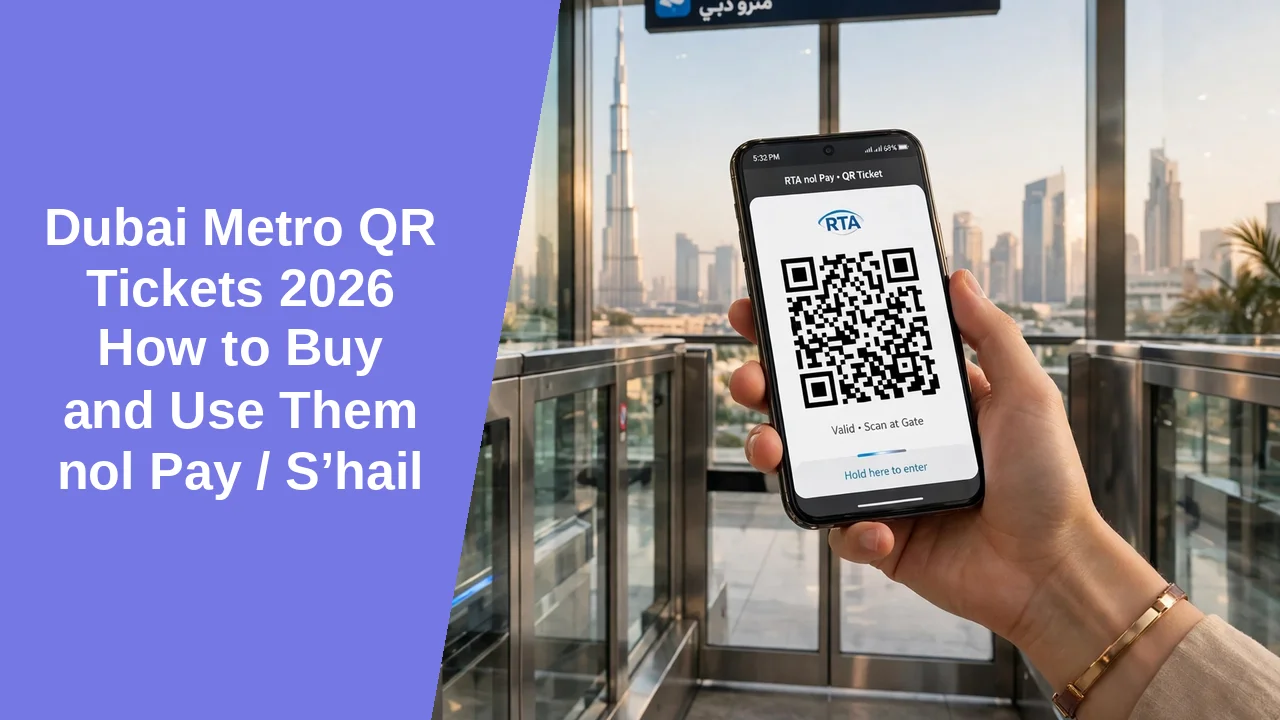
Put simply, a Dubai Metro QR ticket is a digital Red Ticket bought in the nol Pay or S’hail app and scanned at the gate, with no physical card needed. RTA launched QR tickets on 9 Oct 2026, and they work on the Dubai Metro, the Dubai Tram and RTA buses. They suit tourists and occasional riders best, because you can buy a ticket on your phone and ride straight away. Regular commuters usually save with a Silver nol card instead. Singles cost from AED 6 to AED 19 and day passes from AED 22 to AED 42, as checked 11 Nov 2026, and the full table with the AED 2 service fee is in the fares section below. Fares change, so check RTA on the day you travel.
What is a Dubai Metro QR ticket?
In one line, a Dubai Metro QR ticket is a digital Red Ticket on your phone. You buy it in the nol Pay or S’hail app, and the app shows a QR code that you scan at the gate instead of tapping a card. It is the same ticket RTA sold as a paper Red Ticket, now without the paper.
- Launched: 9 Oct 2026, by RTA.
- Works on: Dubai Metro, Dubai Tram and RTA buses only.
- Replaces: the paper Red Ticket for single trips and day passes.
It does not replace the nol card: Silver, Gold and personal nol cards still work as before, and QR is an extra option for people without a card. It does not work on the ferry, in a taxi, or on Etihad Rail, and it does not let you tap a bank card at the gate. See the Dubai Metro Map 2026 guide for the lines and zones.
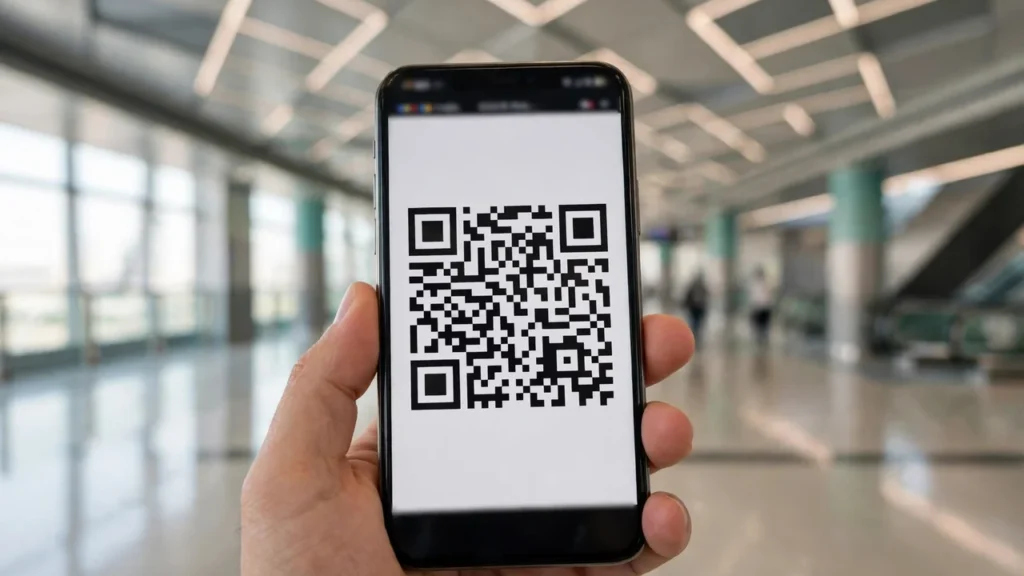
Who should use a QR ticket, and who should not?
In practice, a QR ticket suits tourists and occasional riders best. If you are in Dubai for one to three days, or you ride the Metro once in a while, it is the fastest way to travel: no card to buy, no queue at a machine, and no balance.
Use a QR ticket if:
- You are a tourist on a short stay and want to ride today.
- You ride the Metro, Tram or bus only a few times on a trip.
- You want a day pass for one busy day of sightseeing.
Skip it if:
- You live in Dubai and ride every day. A Silver nol card is usually cheaper per trip.
- You will make more than about four to six trips. The card pays for itself quickly.
- You need a weekly or monthly pass, or you travel Gold Class daily.
The better option in each skip case is a nol card: Silver for regular travel, Gold for Gold Class, and a 7-day or 30-day pass for a longer stay. Our Dubai Nol Card Types and Benefits guide explains the card options.
How to buy a QR ticket in nol Pay
You can buy a QR ticket in the nol Pay app in four steps: open the app, pick a ticket, choose your zone and class, and pay. The ticket appears in the app straight after payment, ready to scan.
- Open the nol Pay app and sign in with UAE Pass, or continue as a guest. Guest sign-in is the faster choice for a visitor.
- Select Purchase QR ticket, then choose Single Trip or 1-Day Pass. A day pass covers all zones by default.
- Choose one zone, two adjacent zones, or all zones, or your start and end stations. Then pick Regular or Gold class.
- Choose how many tickets you need, then pay by Apple Pay or debit or credit card. You can buy up to 10 Single Trip tickets or 5 1-Day Passes in one transaction, and the AED 2 fee is charged once per transaction.
After payment, the ticket is issued instantly and appears in the app. If payment fails, check that your card is enabled for online payments and try again, and do not pay twice until you have checked whether the first payment went through. If the app shows no ticket after a successful payment, close and reopen it before you buy again. Each ticket is personal and cannot be shared or forwarded, and after you use one ticket, tap Next to show the next code. Keep your phone charged: a dead phone means no ticket at the gate. Screen labels can change when the app updates, so check the ticket type, zone and class before you pay.
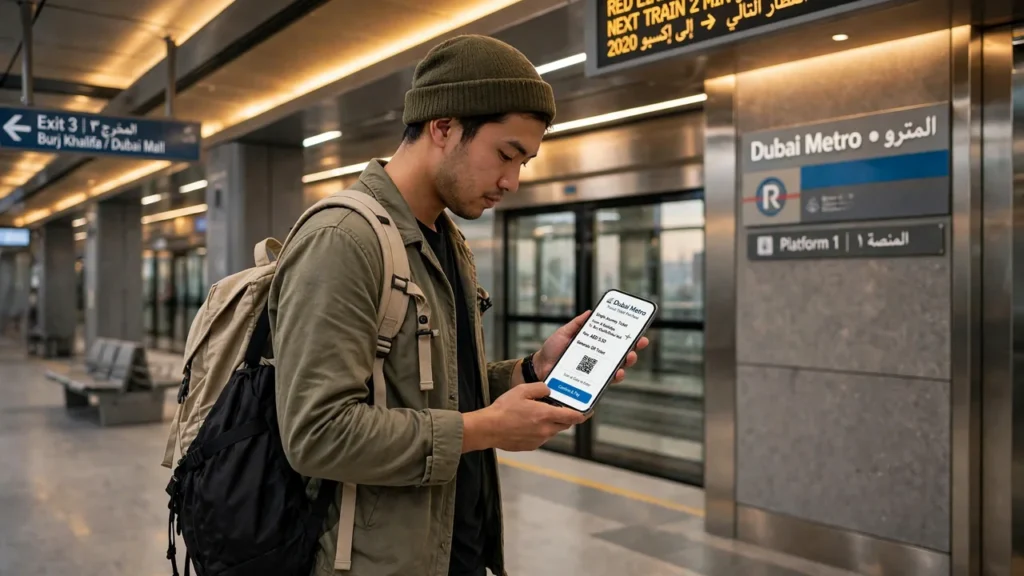
How to buy a QR ticket in S’hail
Good news: the S’hail app sells the same QR ticket as nol Pay, so if you already plan journeys in S’hail, you do not need a second app. The ticket, the fares and the AED 2 fee are the same, and the code scans at the same blue gate.
- Open the S’hail app and go to the QR ticket option. S’hail is RTA’s journey planner, so you can plan your route and buy the ticket in the same app, without switching apps.
- Choose Single Trip or 1-Day Pass, then pick your zone or your start and end stations.
- Pick Regular or Gold class and choose how many tickets you need, up to 10 singles or 5 day passes in one transaction.
- Pay by Apple Pay or debit or credit card, and the ticket appears in the app.
The screens look different from nol Pay, because S’hail starts from a journey plan rather than a ticket shop, but the result is the same QR code for the same price. The ticket, the zone and the class are checked the same way in both apps, so nothing changes at the gate. S’hail is the better choice when you want the route and the ticket in one place. If you only want a ticket, nol Pay is the shorter path, because it opens straight to the ticket. Either app works on iPhone and Android.
How to use a QR ticket at the Metro gate
To enter, scan the QR code at the blue gate, holding your phone face down and steady until the reader confirms it. Open your ticket before you reach the gate, so you are not opening it while people wait behind you.
- Open the ticket in the app and turn your screen brightness up.
- Hold the phone with the QR code facing down over the blue gate reader.
- Hold it steady until the gate opens.
- Walk through, and keep the ticket open until you leave the station.
If the code will not scan, check these in order: internet is on, because the code needs a connection to display; brightness is up, because a dim screen is hard to read; you are using the live code in the app, not a screenshot; you are at a blue gate, not a standard nol gate; and the ticket has not expired or already been used. If it still fails, step aside so you do not hold up the queue, then check the ticket details in the app and try once more. Some guides say you may need the code again to exit, but RTA has not confirmed an exit scan, so keep the ticket open until you leave the station.
How to use a QR ticket on the Tram and bus
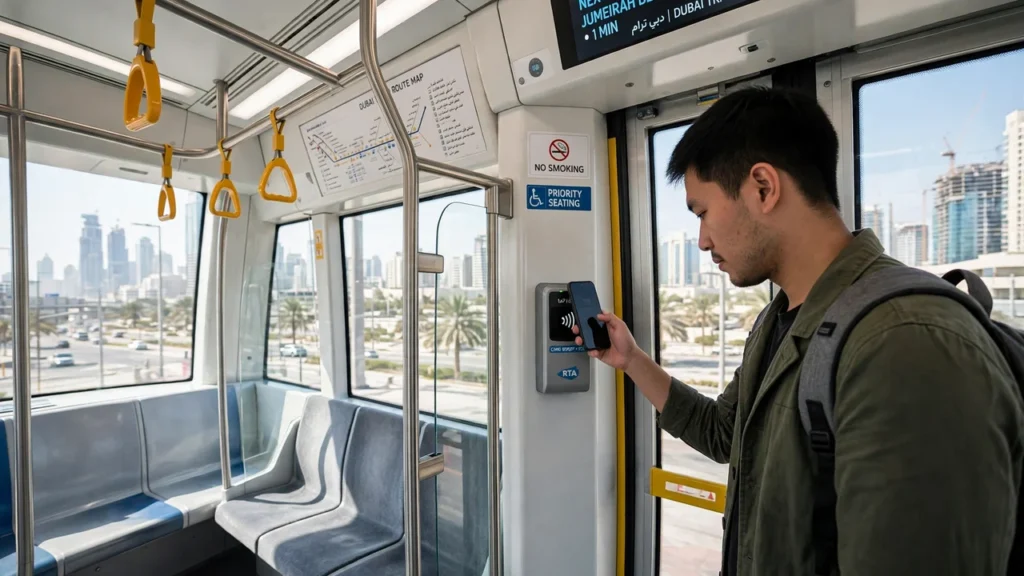
The same ticket covers more than the Metro: a QR ticket also works on the Dubai Tram and RTA buses. There is no gate, so you show the code to a reader on board instead.
On the Tram
On the Tram, board through any door, then find the designated nol reader and scan your code before you sit down. The reader works the same way as the Metro gate, so hold the phone steady until it confirms.
On the bus
On a bus, board at the front and hold your phone over the red nol reader near the entrance, with the screen facing up, until it confirms. Do this as you board, because the driver will wait for the reader before the bus moves on.
A day pass covers the Tram and bus too, so one ticket can take you from the Metro to the Tram and then to a bus without a second purchase. It does not work on the ferry, in a taxi, or on an abra, so do not rely on it beyond the Metro, Tram and bus.
QR ticket fares and validity
QR fares depend on zones and class, plus an AED 2 service fee per transaction. The table below shows the totals you pay, including the fee.
Fares checked 11 Nov 2026. Totals include the AED 2 service fee per transaction.
| Ticket | 1 zone | 2 zones | All zones | Service fee |
|---|---|---|---|---|
| Single trip, Regular | AED 6 | AED 8 | AED 10.50 | AED 2 per transaction |
| Single trip, Gold | AED 10 | AED 14 | AED 19 | AED 2 per transaction |
| 1-Day Pass, Regular | AED 22 | AED 22 | AED 22 | AED 2 per transaction |
| 1-Day Pass, Gold | AED 42 | AED 42 | AED 42 | AED 2 per transaction |
The totals above include the AED 2 service fee, charged once per transaction. The base fares are Regular AED 4, 6 and 8.50, Gold AED 8, 12 and 17, and the day pass base is AED 20 Regular and AED 40 Gold.
That detail saves real money. Four one-zone Regular trips bought together cost AED 18: four fares of AED 4 plus one fee of AED 2. The same four trips bought one at a time cost AED 24, because each purchase adds its own AED 2 fee. Buy the day’s trips in one go.
An unused QR ticket stays valid for 90 days from purchase, and a day pass expires at midnight on the day you first use it, not 24 hours later. A single trip, once used, is valid until the end of that same day.
Two warnings: the QR totals and the AED 2 fee were not found on any rta.ae page we could open, even though they match across the main guides quoting RTA, so check RTA on the day you travel. And there is no automatic daily fare cap on the RTA Nol Fares page, so do not expect your spending to stop at AED 14 or AED 20.
QR ticket vs nol card: which is cheaper?
In short, a QR ticket is usually cheaper for one or two trips, and a Silver nol card is usually cheaper for regular travel. A one-zone QR single costs AED 6 against AED 3 on Silver, but the card itself costs AED 25, of which AED 19 is credit.
| Trips | QR ticket | Silver nol card |
|---|---|---|
| 1 trip, 1 zone | AED 6 | AED 3, plus a one-off AED 25 for the card (AED 19 of it is credit) |
| 3 all-zone trips, 1 day | AED 22 day pass, or AED 27.50 for 3 singles bought together | AED 22.50 |
| 10 trips, 2 zones, 5 days | AED 64, bought in two batches of 5 singles | AED 50 pay as you go |
One trip, one zone: QR costs AED 6, Silver costs AED 3 plus the one-off card cost. QR wins.
Three all-zone trips in one day: a QR day pass costs AED 22, three QR singles bought together cost AED 27.50, and Silver costs AED 22.50. The day pass and Silver are level.
Ten trips over five days, two zones: Silver pay-as-you-go costs AED 50, QR singles bought in two batches of five cost AED 64, and five QR day passes cost AED 110. Silver wins by a clear margin.
One more point: buy the day’s trips in one transaction, because four one-zone trips cost AED 24 bought separately and AED 18 bought together. Compare the same class: a Gold QR single at AED 10 against a Gold card fare of AED 6, not a Regular fare of AED 3.
The break-even point is about four to six trips: six for one-zone trips bought together, five bought one at a time, and three to four for all-zone trips. A 7-day pass can save more on a longer stay. The full QR versus nol card comparison is a separate topic we will cover in its own guide. If you want to check a balance on a card you already own, see our NOL Card Balance Check Online guide.
QR ticket vs Red Ticket: what changed?
Put plainly, a QR ticket is a digital Red Ticket, not a new fare type. The fares, the zones and the classes are the same as the paper Red Ticket.
What changed:
- No paper ticket to buy or lose. The code lives in the app.
- You buy in the app instead of queuing at a machine.
- The code refreshes and needs internet. A screenshot does not work.
What stayed the same:
- The same fares: Regular AED 4, 6 and 8.50, Gold AED 8, 12 and 17, before the AED 2 fee.
- The same day pass rules: valid until midnight on the day of first use.
- The same 90 day validity for an unused ticket.
There is also a paper QR ticket, called a Static Single Trip, sold from ticket vending machines and ticket office machines in Tram stations and selected Metro and bus stations. It expires at 11:59pm on the day you buy it, and the same AED 2 fee applies. That detail comes from one secondary source quoting RTA, so treat it as reported.
Common QR ticket problems and how to fix them
At the gate, most QR ticket problems come from internet, brightness, or a screenshot, and each one has a quick fix. Work through the list in order, and step aside if a queue is building behind you.
- No internet: the code will not display without a connection. Switch on mobile data or station WiFi before you open the ticket.
- Screenshot: the code refreshes, so a saved image is out of date. Open the live ticket in the app.
- Brightness too low: the reader cannot read a dim screen. Turn brightness up and hold the phone steady.
- Wrong gate: the code only works at the blue gate. Move to one and try again.
- Ticket expired or already used: a single trip is spent after one journey, and an unused ticket ends after 90 days. Check the ticket in the app and buy a new one if it has expired.
- Wrong zone or class: a one-zone ticket will not open a gate for a longer journey. Check the zone and class before you buy.
- Payment failed: the ticket never appears. Check your card is enabled for online payments and whether the payment went through, and do not pay twice for the same ticket.
If you bought a ticket by mistake, an unused QR ticket can be refunded in cash at a Ticket Office Machine within 30 days, with an AED 2 refund fee per ticket. Check RTA for the current refund route first.
Can tourists use a QR ticket without a nol card?
The short answer is yes, tourists can travel on a QR ticket without buying a nol card. That is exactly who the ticket was made for: a visitor who lands, buys a ticket on a phone, and rides. You do not need a UAE Pass account to buy as a guest in nol Pay, and you do not need a local phone number.
- Land at DXB Terminal 1 or Terminal 3, where the Metro station is in the airport. Terminal 2 has no Metro station, so from Terminal 2, take a bus or taxi to the nearest Metro station instead.
- Connect to the airport WiFi or switch on mobile data, because you need internet to buy and show the code.
- Download nol Pay or S’hail and buy a Single Trip or a 1-Day Pass.
- Follow the signs to the Metro platform and scan at the blue gate.
One warning: do not assume you will have mobile data the moment you land. Sort out a local SIM, an eSIM, or the airport WiFi first, and buy the ticket while you have a connection.
QR tickets and Etihad Rail: what to know
First, the limit: a standard Dubai Metro QR ticket does not cover Etihad Rail. A QR ticket works on the Metro, the Tram and RTA buses.
A standard QR ticket does not cover Etihad Rail. To add Metro, Tram and bus travel to an Etihad Rail trip, buy the optional nol One-Day Pass add-on with your train booking.
The combined ticket has been live since 30 Sep 2026, as an optional add-on, not a standard QR ticket. When you book in the Etihad Rail app or website, choose End-to-End Journey Options and add the nol One-Day Pass for AED 22 Regular or AED 42 Gold. One QR code then covers the train plus the Metro, Tram and bus. The train runs from Dubai Al Yalayis station to Abu Dhabi, from AED 39 Comfort and AED 109 Premium, in about 60 to 64 minutes.
One caution: the add-on prices come from news reports and booking checks, not an official price page.

QR ticket tips for a first ride
The best tip is simple: buy your QR ticket before you reach the gate, while you have internet. The rest of the list saves a first ride from going wrong.
- Buy before the gate, while you have internet, and open the ticket before you queue.
- Download the app before you travel.
- Check the zone count before you buy, so the ticket opens the gate.
- Turn your screen brightness up before you scan.
- Keep the ticket open until you leave the station.
- Travel in the class you paid for: Gold for the Gold cabin, Regular for the rest.
- Check the cabin signs and sit in the right car for your ticket.
- Check the last train before you travel. Our Dubai Metro Timings guide has the first and last trains.
- Keep your bags with you and within the luggage rules, and step aside if the code fails.
Most first rides go wrong for one of three reasons: no internet, a screenshot, or the wrong zone. Buy early, buy the right zone, and use the live code.
Frequently asked questions
The answers below use the same facts as the sections above, checked 11 Nov 2026.
Do I need a nol card to use a QR ticket?
No, you do not need a nol card. A QR ticket is bought in the nol Pay or S’hail app and scanned at the gate, so a tourist can travel without a card. You can sign in as a guest in nol Pay, so you do not need a UAE Pass account either. Silver, Gold and personal nol cards still work as before, but the card is optional, not required.
Can I use a screenshot of a QR ticket?
No, a screenshot will not work. The QR code refreshes automatically, so a saved image is out of date by the time you reach the gate, and the reader will reject it. Open the live ticket in the app, with internet switched on, and hold the phone face down over the blue gate reader. If your screen is dim, turn the brightness up before you scan.
How long is an unused QR ticket valid?
90 days from the date of purchase, for both single trips and day passes. An unused QR ticket stays valid for 90 days, so you can buy before you travel. Once you use a single trip, it is valid until the end of that same day, and a day pass ends at midnight on the day you first use it. The 90 day rule is confirmed on RTA’s own Etihad Rail page.
Does a day pass last 24 hours?
No, a day pass lasts until midnight on the day you first use it, not for 24 hours. Even if you first tap at 11pm, the pass expires at midnight that same night. Buy a day pass early in the day, before your first ride, to get the full value from it. A day pass bought but never used stays valid for 90 days, and the midnight rule only starts when you first tap.
Can I use a QR ticket on the Tram and bus?
Yes, a QR ticket works on the Dubai Tram and RTA buses as well as the Metro. On the Tram, scan at the designated nol reader, and on a bus, hold your phone over the red nol reader near the entrance with the screen facing up. It does not work on the ferry, in a taxi, on an abra, or for parking.
Can I pay with a bank card at the gate?
No, not yet. A Metro gate does not take a contactless bank card, Apple Pay or Google Pay. Bank cards and digital wallets are phase 3 of RTA’s nol upgrade, due by the end of the first quarter of 2027, and the date has already slipped once, from end Q3 2026. Until then, use a QR ticket in the app or a nol card. You can still pay by card when you buy a ticket: the apps take Apple Pay and debit or credit cards.
This guide was written 2026-11-11. Fares were checked the same day. See also our Dubai Metro Timings guide.